Notion is my favorite note-taking, goal-tracking, second-brain software, but it does have some limitations. Over time, I'm certain these will get resolved with updates, but for now, let's fix things in our own way.
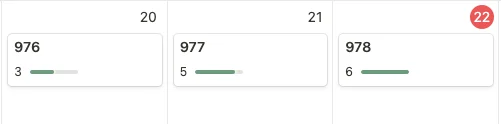
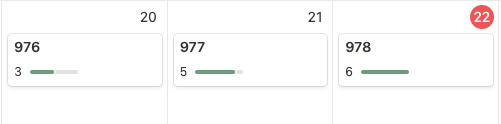
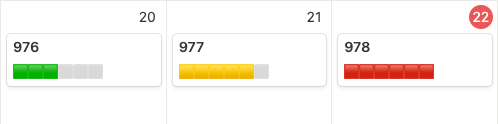
In this article, we're going to use the formula field to create a colored progress bar. Unlike the standard number bar, this version supports colors based on value and uses emoji to draw the bar.
Instructions
- Create a new field called Score Bar with the Formula type.
- For this use case, there are six possible points, where one is best and six is worst. Enter the following formula:
Notion formula
if(prop("Score") == 6, "🟥🟥🟥🟥🟥🟥",
if(prop("Score") == 5, "🟨🟨🟨🟨🟨⬜",
if(prop("Score") == 4, "🟨🟨🟨🟨⬜⬜",
if(prop("Score") == 3, "🟩🟩🟩⬜⬜⬜",
if(prop("Score") == 2, "🟩🟩⬜⬜⬜⬜",
"🟩⬜⬜⬜⬜⬜")))))- Save the field. The Score Bar now updates automatically from the Score value. You can show it on a calendar or other database view from the Properties menu.
Update
After a few weeks, I updated the formula so a score of zero is red, six is orange, and four moves into the green range:
Updated Notion formula
if(prop("Score") == 0, "🟥🟥🟥🟥🟥🟥",
if(prop("Score") == 6, "🟧🟧🟧🟧🟧🟧",
if(prop("Score") == 5, "🟨🟨🟨🟨🟨⬜",
if(prop("Score") == 4, "🟩🟩🟩🟩⬜⬜",
if(prop("Score") == 3, "🟩🟩🟩⬜⬜⬜",
if(prop("Score") == 2, "🟩🟩⬜⬜⬜⬜",
"🟩⬜⬜⬜⬜⬜"))))))